
The Article Contact Pro module is an advanced contact form for Joomla that automatically uses the current article title as the email subject. It supports file upload, Ajax submission, and built-in anti-spam protection, making it a powerful and flexible contact tool for any Joomla site.
Module Options
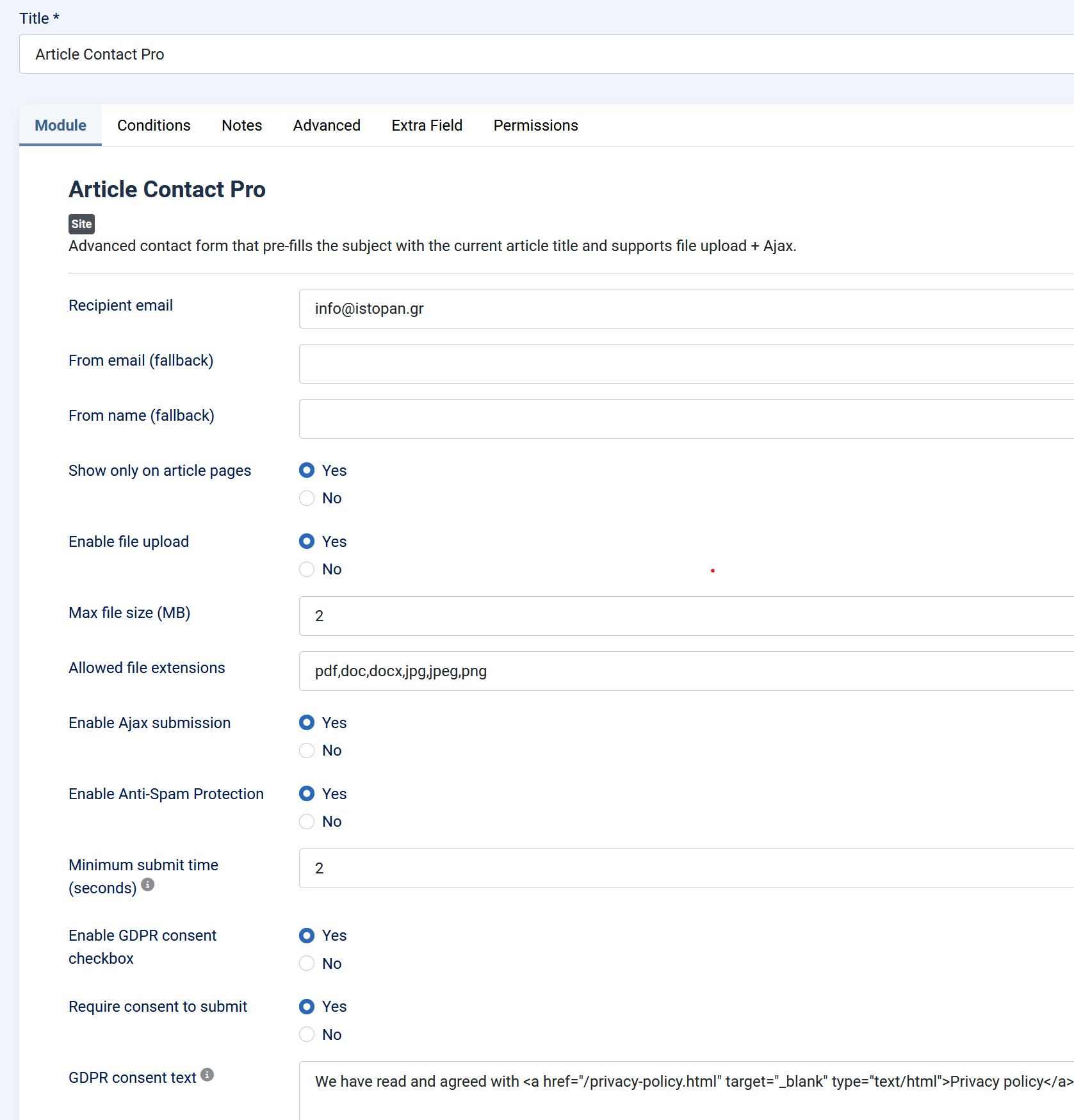
Basic Settings
Recipient Email
The email address where all form submissions will be sent.
If empty, Joomla’s default “mailfrom” is used.
Show Only on Article Pages
Yes / No
This ensures the module only shows where the “article title subject” makes sense.
File Upload Settings
Enable File Upload
Allows users to upload a file along with their message.
Yes / No
Max File Size (MB)
Maximum allowed upload size (e.g., 2 MB).
Prevents very large attachments.
Allowed File Extensions
Comma-separated list of allowed file types, e.g.:
pdf, doc, docx, jpg, jpeg, png
Uploads with extensions not on this list are rejected.
Ajax Settings
Enable Ajax Submission
Yes / No
Ajax mode improves user experience and produces instant messages.
Both Ajax and non-Ajax modes show the same success/error alert box.
Anti-Spam Protection (Recommended)
Enable Anti-Spam Protection
Yes / No
Silent, invisible anti-spam system that blocks bots without captcha.
Uses:
- Honeypot field (hidden field bots fill, humans ignore)
- Time-trap (form must take > X seconds to submit)
No user interaction needed & no visible captcha.
Minimum Submit Time (seconds)
Default: 2 seconds
If a form is submitted too quickly, it is flagged as spam.
Enable GDPR consent checkbox
Require consent to submit
GDPR consent text
GDPR text and html.
Advanced Settings
Layout
Choose an alternate module layout (if you create additional tmpl files).
Module Class Suffix
Allows styling the module via template classes.
Video