
World Map Light is a module that displays an interactive SVG world map from https://www.cssscript.com/animated-accessible-modal-pure-javascript-micromodal/ and author micromodal..
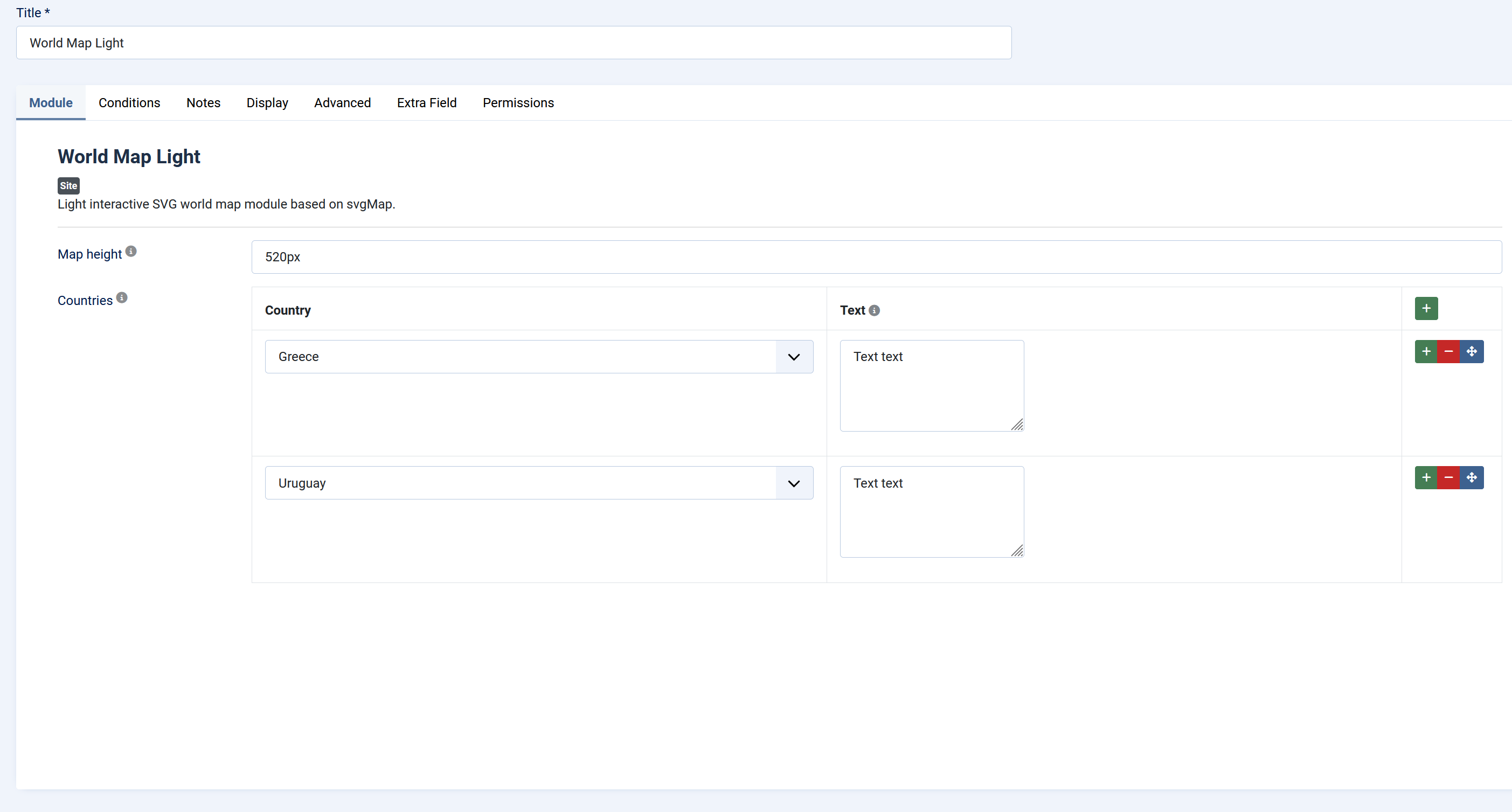
Select countries from the module settings and optionally add a short text for each selected country. Selected countries are highlighted on the map and can display a tooltip on hover or click.
The Light version is designed as a simplified/free edition. It keeps the main country selection and tooltip functionality, while several visual and interaction options are fixed in the code instead of being configurable from the Joomla administrator.
Main Features
- Interactive SVG world map.
- Country selection from the Joomla module settings.
- Optional tooltip text per selected country.
- Translatable country names through module language files.
- Flag support inside tooltips.
- Option to hide flags in tooltips.
- Option to hide tooltips for countries that are not configured.
- No sample/demo dataset is loaded.
- A country can be active even if no tooltip text is entered.
Basic Settings
Map height
Controls the normal/desktop height of the map container.
Accepted values are CSS size values such as:
520px, 60vh, 32rem, 100%
Countries
Repeatable list of countries that should be active on the map.
Each row contains:
- Country: Selects the country that should be active on the map.
- Text: Optional tooltip text for that country.
A country can be active even if the text field is empty. In that case, the tooltip can show only the country name.
If no countries are added, the module outputs no map.
Display Settings
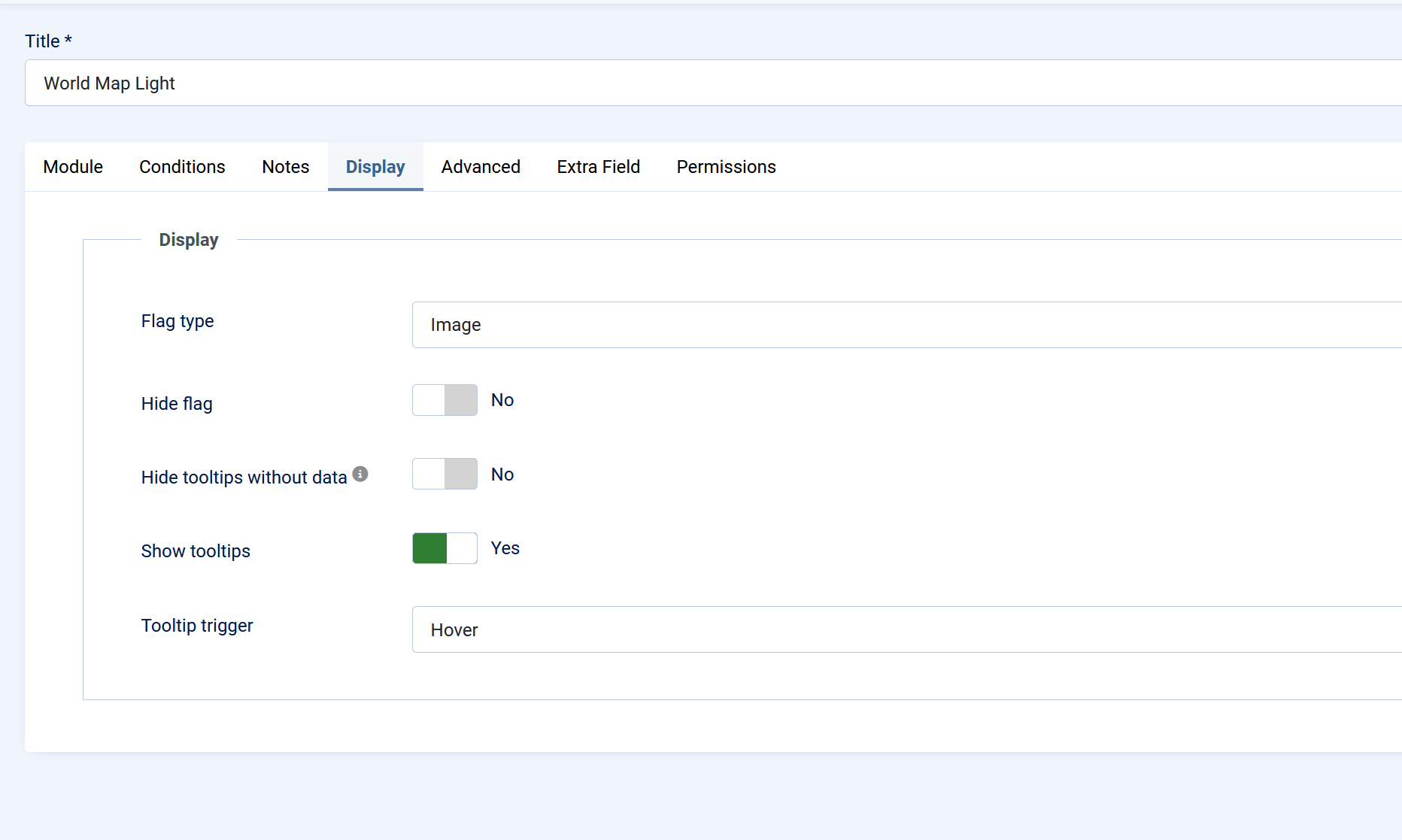
Flag type
Controls how country flags appear inside tooltips.
Available options:
- Image: Displays SVG flag images. This uses an external flag image source.
- Emoji: Displays emoji flags where supported by the browser/device.
Hide flag
When enabled, the tooltip does not display a country flag.
Use this if you want a cleaner text-only tooltip or if you do not want external flag images.
Hide tooltips without data
When enabled, countries that are not selected in the **Countries** list remain visible on the map, but they do not show tooltips.
Selected countries still remain active. If a selected country has no custom text, its tooltip can show only the country name.
Show tooltips
Enables or disables tooltips globally.
If disabled, country hover/click tooltips are not shown.
Tooltip trigger
Controls how tooltips are opened.
Available options:
- Hover: Tooltip appears when the pointer is over a country.
- Click: Tooltip appears after clicking/tapping a country.
Advanced Settings
Module Class Suffix
Standard Joomla field that allows adding a custom CSS class suffix to the module wrapper. Use this if you want to target this specific module instance with custom template CSS.
Installation
1. Go to Joomla Administrator → System → Install → Extensions.
2. Upload and install `mod_world_map_light.zip`.
3. Go to Content → Site Modules.
4. Open or create a World Map Light module.
5. Choose a module position and menu assignment.
6. Configure the module settings.
7. Set the module status to Published.