
Related Articles Advanced is the default Joomla Related Articles with more features and helps readers discover more content while viewing a Joomla article. It finds other articles with matching meta keywords and displays them as a list, a responsive grid, or a carousel. You can limit results to a specific category and choose which article details appear.
Features
- Keyword-based matching. Add comma-separated meta keywords to the current article and to the articles you want to relate. The module excludes the article currently being viewed and checks publication status, publication dates, and viewing access. On multilingual sites, results are filtered to the current language and articles assigned to All Languages.
- Category filtering. Search across all categories or limit results to articles directly assigned to one category. Subcategories are excluded when a specific category is selected.
- Flexible layouts. Use a single-column list, a grid with up to six articles per row, or a Bootstrap 5 carousel. In carousel mode, Articles per Row also sets the number of articles per slide. On screens narrower than 768 px, articles within a slide stack vertically.
- Manual carousel navigation. Previous and Next are shown when the results span at least two slides. Keyboard and touch navigation are enabled, and slides do not advance automatically. The active template's CSS controls the appearance of the navigation buttons.
- Configurable article details. Each article title links to the full article. You can also show an image, creation date, category, author, plain-text introduction, and Read More button. The default layout uses an
<h3>for article titles and an<h5>for categories.
Installation and setup
The update feed targets Joomla 6.x and lists PHP 8.3 as the minimum. Follow the requirements of your installed Joomla release.
- In the Joomla administrator, open System → Install → Extensions and upload
mod_related_items_adv_1.0.0.zip. - Go to Content → Site Modules and open Related Articles Advanced. Choose a template position, publish the module, and set its Menu Assignment.
- Add a shared meta keyword, such as
extensions, to the article you are viewing and to other published articles. Set the module options, save, and open the individual article on the site.
The module displays results on individual article pages. If the current article has no meta keywords or there are no eligible matches, the module outputs no article list. Joomla module installation and assignment reference.
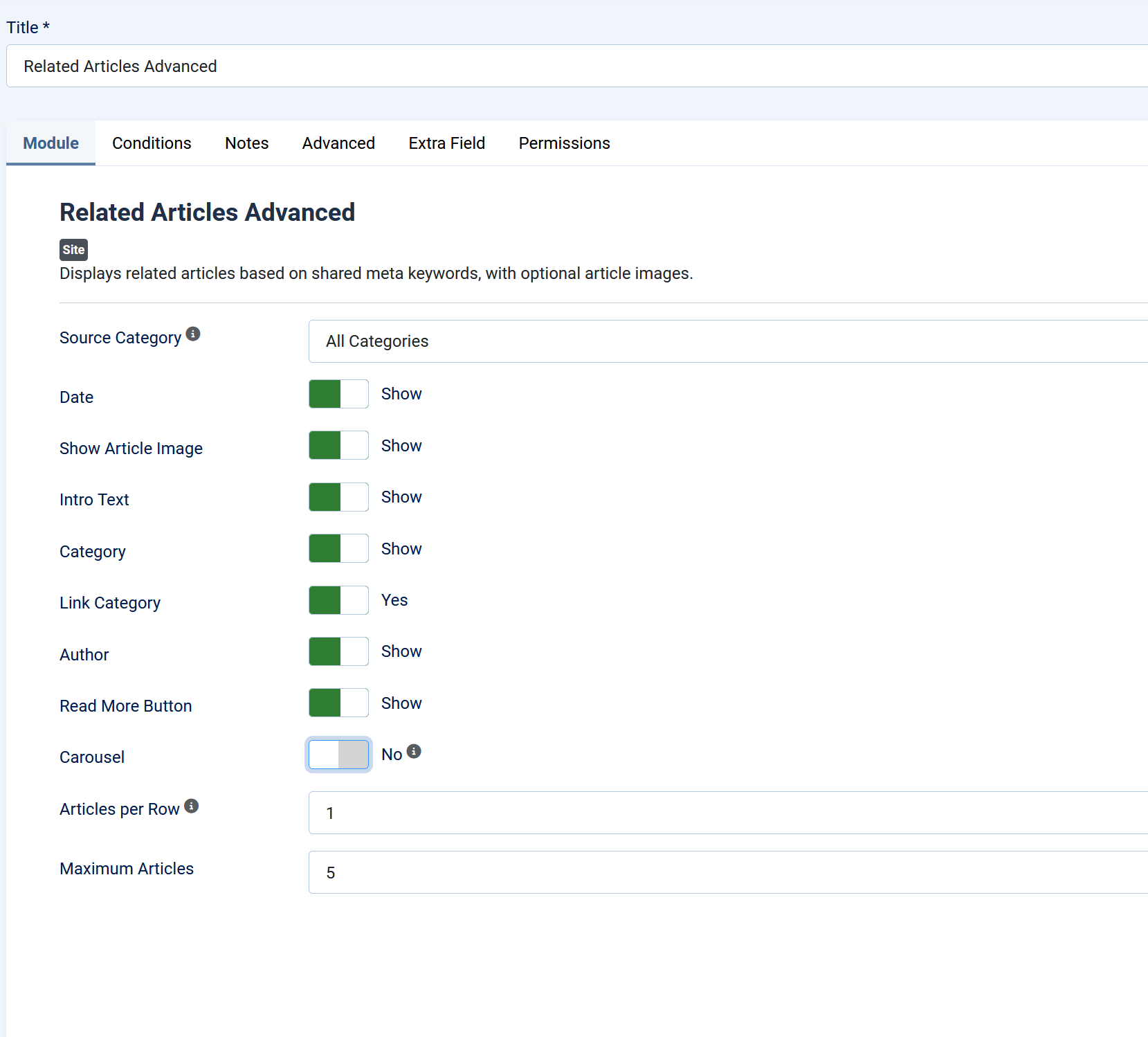
Module settings
| Setting | Default | What it controls |
|---|---|---|
| Source Category | All Categories | Limits the related results to one category when selected. Applies to the results, so the current article can belong to a different category. |
| Date | Hide | Shows the article's creation date in small text below the image and before the category. |
| Show Article Image | Show | Shows the intro image below the title. If there is no intro image, the module uses the full article image when available. |
| Intro Text | Hide | Shows the article's introductory text as plain text. |
| Category | Hide | Shows the article's category name. |
| Link Category | No | Makes the category name a link to its Joomla category page. This setting appears when Category is set to Show. |
| Author | Hide | Shows the author on a separate line below the category when both are enabled. |
| Read More Button | Hide | Shows a button linking to the full article. |
| Carousel | No | Groups results into slides when enabled. With the option off, the articles appear together in the list or grid. |
| Articles per Row | 1 | Choose 1–6 articles per row at 768 px and wider. This value also sets how many articles are grouped into each carousel slide. |
| Maximum Articles | 5 | Caps the total number of related articles returned across all slides. The minimum configurable value is 1. |
Example. Set Carousel to Yes, Articles per Row to 2, and Maximum Articles to 5. If five eligible articles are found, they will appear in three slides containing 2, 2, and 1 articles.
Advanced settings
| Setting | What it controls |
|---|---|
| Layout | Selects the default layout or an alternative layout supplied by the active template. |
| Module Class | Sets a CSS class for the module wrapper when supported by the selected module style. |
| Caching | Uses Joomla's global caching settings by default. Select No Caching to disable the module's cache. |
| Cache Time | Sets the cache lifetime in seconds when caching applies. The default is 900 seconds. |